The central idea
Write the launch story before arranging devices: promise, first action, useful detail, repeat value, and a confident close.
Write a brief small enough to use
Imagine a shared grocery-list app launching to households that split the shopping. The brief is not 'show every feature.' It is 'help two people understand how to keep one useful list.' Choose one audience, the task it wants to finish, and the part of your shipped app that proves the promise.
Capture the current release with clean sample data. Avoid notifications, personal names, test errors and unfinished screens. Keep an untouched source folder so a late visual change does not force you to recapture everything. A screenshot generator provides the presentation around those captures; it cannot replace accurate product evidence.
Give each frame a different job
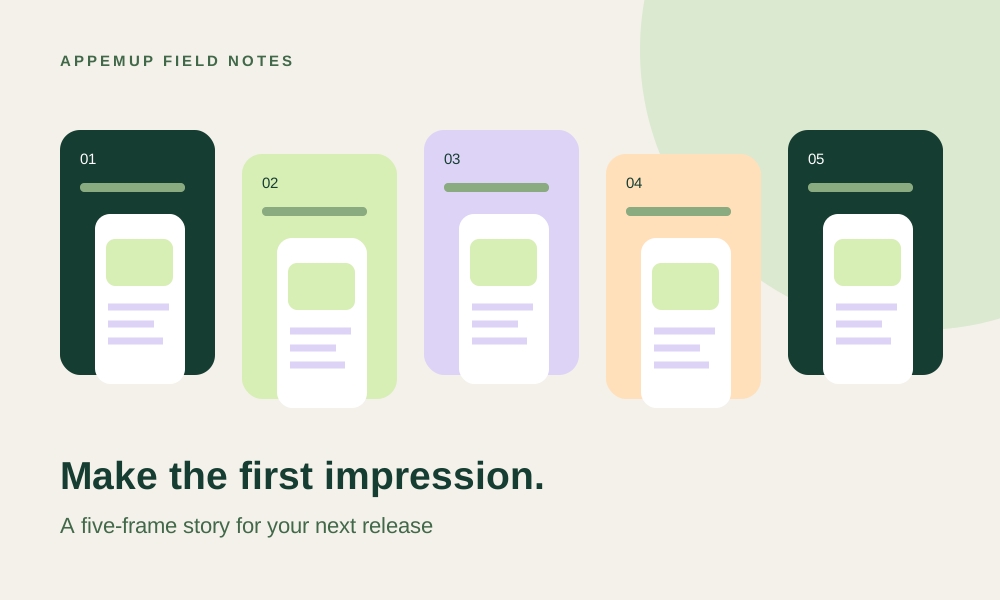
Frame one introduces the outcome: 'One list. Everyone in sync.' Show the shared list rather than an unrelated dashboard. Frame two explains the first action: 'Add it before you forget.' Show adding an item. Frame three resolves a concern: 'Know what is already covered.' Show a checked item or assignment only if your app supports it.
Frame four explains repeat value: 'Bring back your weekly essentials.' Show a saved list if that is a shipped feature. Frame five closes on the central benefit: 'Make the next shop simpler.' These are example captions for a hypothetical app, not claims about AppemUp or a required store sequence. Use fewer or more frames if your story needs them.
Build the sequence in an editable template
Open AppemUp's template library and choose a layout with enough room for your interface. Replace the sample captures first, then rewrite the captions. Match the dominant accent to your app and keep headline placement consistent. A quiet background often makes detailed UI easier to read than an illustration competing with it.
Review the sequence at thumbnail size. If the main benefit disappears, shorten the caption or enlarge the useful part of the capture. Keep decorative shapes on separate layers so you can move them when translating or changing device formats. Do not embed marketing copy into the source capture merely to make one layout fit.
Create a release package someone else can inspect
List each store, device family and locale in a release sheet. Export the corresponding layouts, inspect the files at full size, and label them by locale and position. Ask a reviewer who has not seen the brief to explain what the app does from the first two frames. If their answer is wrong, revise the message before uploading.
After upload, check ordering and previews in App Store Connect or Play Console. Keep the source project and the release version beside the exports. When the interface changes, update the affected frames and review the whole sequence for continuity instead of redesigning the launch from scratch.
- Every caption describes an available feature
- No private data or test-state UI
- The first frame explains the core benefit
- Phone and tablet layouts reviewed separately
- Actual exported files inspected before upload
Sources & further reading
Platform guidance checked September 7, 2026. Workflows and examples are AppemUp editorial recommendations; illustrative examples are not measured results.
Ready to try it with your app?
Choose a template, add your captures, and build a screenshot story.
Open the free editor